Pick which answers save where, and ClarNow keeps one list of the people behind your forms — with lists, your own properties and the responses you already have. Free on every plan.
| Name | Lead score |
|---|---|
| Ana Ruiz | 82 |
| Tom Keller | 64 |
| Mia Okafor | 91 |
| Luca Bianchi | 37 |
| Sara Nilsson | 58 |
Forms stop being a pile of responses per form. The people behind them land in one place your whole team can read.
Switch on Save to contacts for a question and pick the property it fills. Every new response updates the contact with that email — no export, no Zapier.
Build lists from conditions, add your own properties and choose which columns each list shows. The view is saved for the whole team.
Already have responses? Sync from forms turns a form on in one click and adds the people who answered it before.
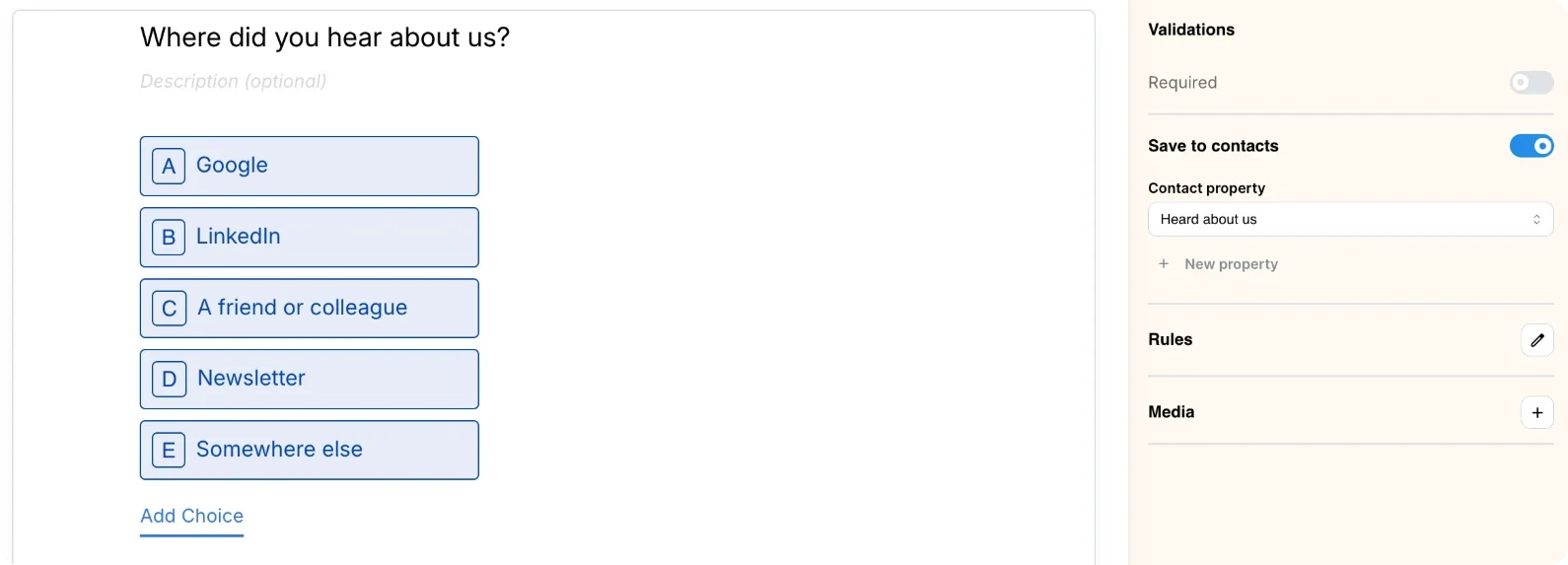
A Save to contacts switch sits on every question that can be saved. Pick a property — first name, company, lead score or one of your own — and the builder only offers the ones that fit the answer. If the form can’t save contacts yet, it tells you why and fixes it in one click: add an Email question, make it required, or use the one you already have.
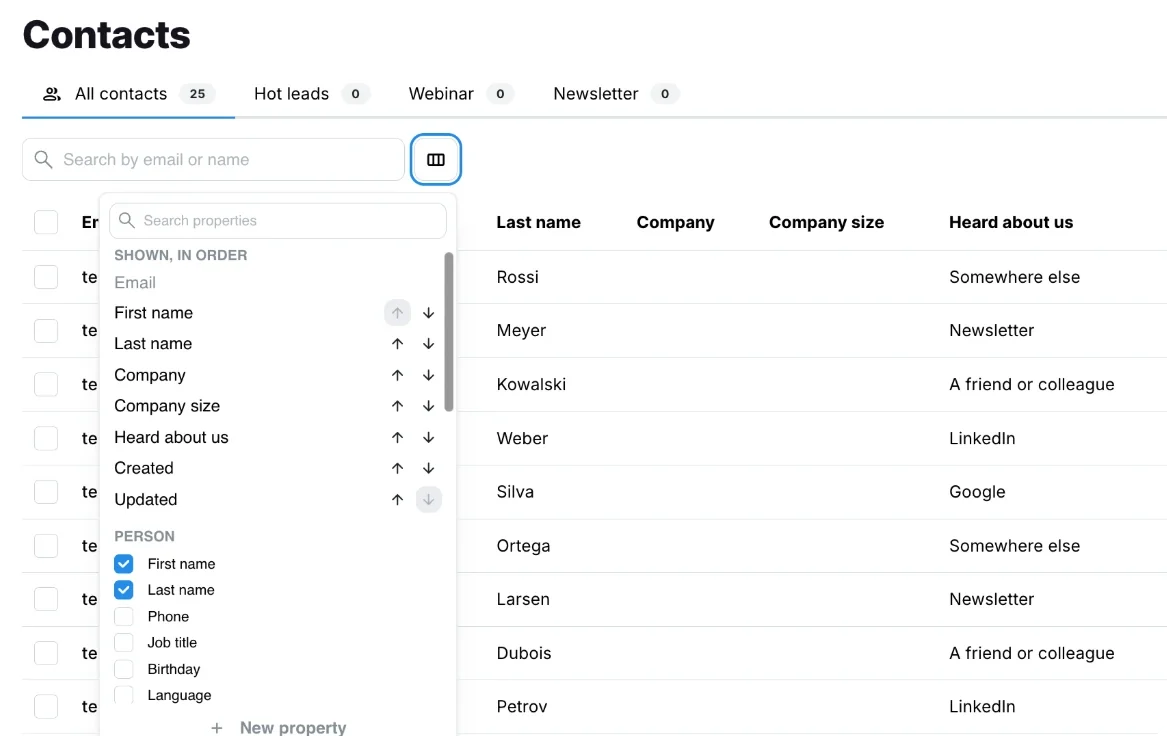
All contacts sit in one table you can search, open and edit. Lists appear as tabs, each a saved filter — say, everyone who came from one form, or whose lead score is over 50 — that keeps itself up to date. Add up to 100 custom properties next to the 26 built in, and pick the columns each list shows — the choice is saved for everyone in your organization.
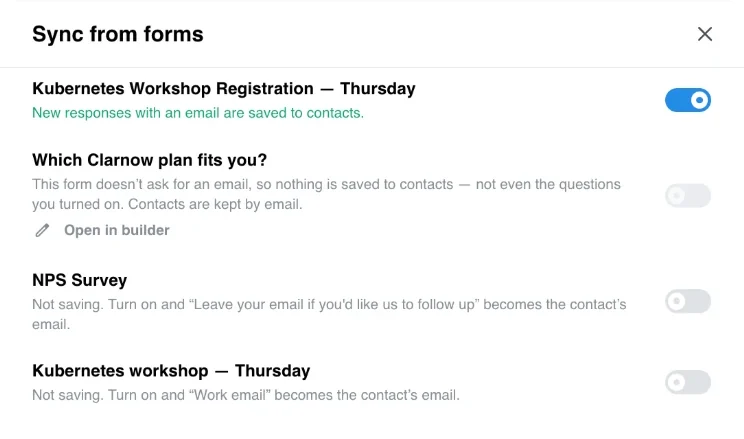
Sync from forms lists every form in your organization with whether it collects contacts and why not. Turn one on and ClarNow goes through its past responses — up to 10,000 per form — oldest first. Run it twice and nothing changes: a response already counted adds nothing.
A new response from the same email updates that contact instead of creating a duplicate. Each contact keeps a list of the forms it came from.
Contact info and Address questions save into first name, phone, city, postal code and the rest; a choice saves the option’s text.
When past responses are synced in, one older than your team’s last edit to a contact only fills the gaps — it doesn’t overwrite the change.
Person (name, phone, job title, address, social links), company (name, website, size, industry) and marketing (consent, lead score, tags, UTM source, medium, campaign).
Name them the way your team talks. Renaming a property keeps its data; deleting one cleans it out of contacts, views and forms.
Add a contact without a form, search by name or email, open a contact to edit any property, select many to delete.
Viewers can look, editors add, edit, import and delete contacts and switch saving on for their forms; deleting a list or a property is for admins.
A form can save to Contacts and sync to HubSpot at the same time — the two don’t compete for answers.
→As of 30 October 2026.
Contacts is a list of people built from your form responses, shared by your whole organization. You choose which questions save into which contact properties; each new response creates the contact or updates the one with the same email.
Every plan, including Free. Saving to contacts, lists, custom properties and syncing past responses are not paid add-ons.
Yes. Contacts are matched by email, so a form saves contacts only when it has an Email question (or a Contact info question with the email shown) set to save as the email. The builder points out what is missing and fixes it in one click.
Yes. Sync from forms on the Contacts page — or the button on a form’s Connect page — goes through that form’s completed responses, up to 10,000 per form, using today’s mapping. Running it again adds nothing new.
The contact with that email is updated, not duplicated, and the form is added to its sources. When past responses are synced in, the latest answer within a form wins, and a response older than your team’s last edit only fills empty properties.
Yes. Import CSV maps each column to a property, up to 10,000 rows per file; a row with an email that is already a contact updates it. Export CSV downloads the tab you’re on with its columns. Both are on every plan.
For a small team keeping track of who answered what, it can. It has no email campaigns, deals or pipelines, so teams that need those keep their CRM — ClarNow can sync the same responses to HubSpot alongside Contacts.
Free forever for 100 responses a month — the whole builder, no card.
Cookie preferences
Required for the site to work — security and your session. No tracking.