Points per answer, instant feedback with your own explanations, time limits and a result screen per outcome — the personality quiz, the timed test, the product recommender. On the free plan.
This is a published ClarNow form, embedded exactly as it runs on clar.now — not a recreation. Click through it to see the scoring and branching yourself.
The three screens that decide whether a quiz feels cheap or feels considered — a right answer, a wrong one, and the result someone actually walks away with. Screenshots straight from the builder, not a redraw for the marketing site.
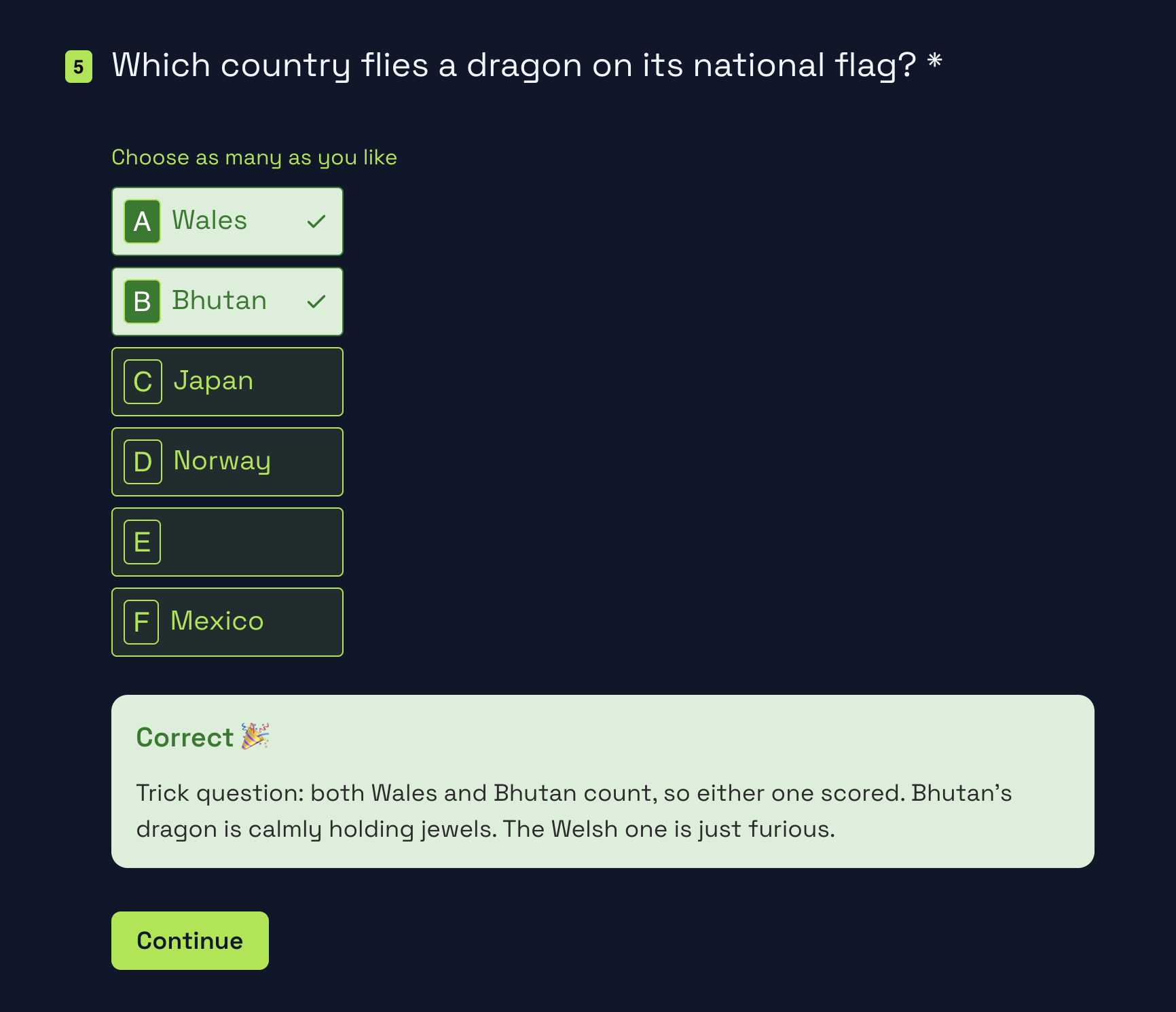
The card appears the moment someone submits an answer — no waiting for the last screen to find out how they did, and nothing extra to build.
A green verdict, the explanation you wrote for that question, and a Continue button. Same position on every question, so the flow never jumps around.
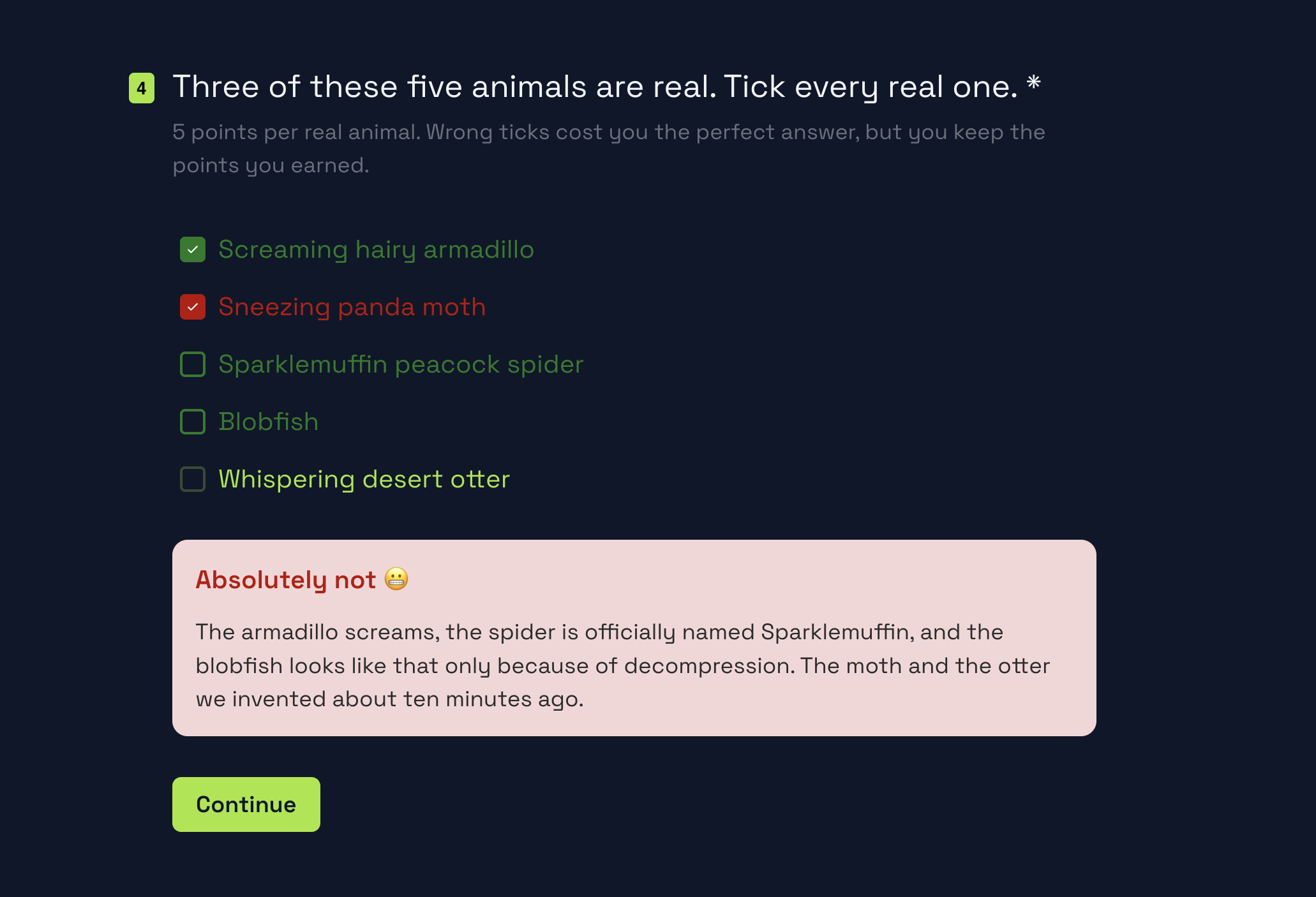
A miss doesn’t just say "wrong." It shows the correct answer and the reasoning behind it, so people learn something instead of just losing points.
Same card, same spot as the right-answer state — just a different color and a reveal line. Turn it off per form if you’d rather save the reveal for the end.
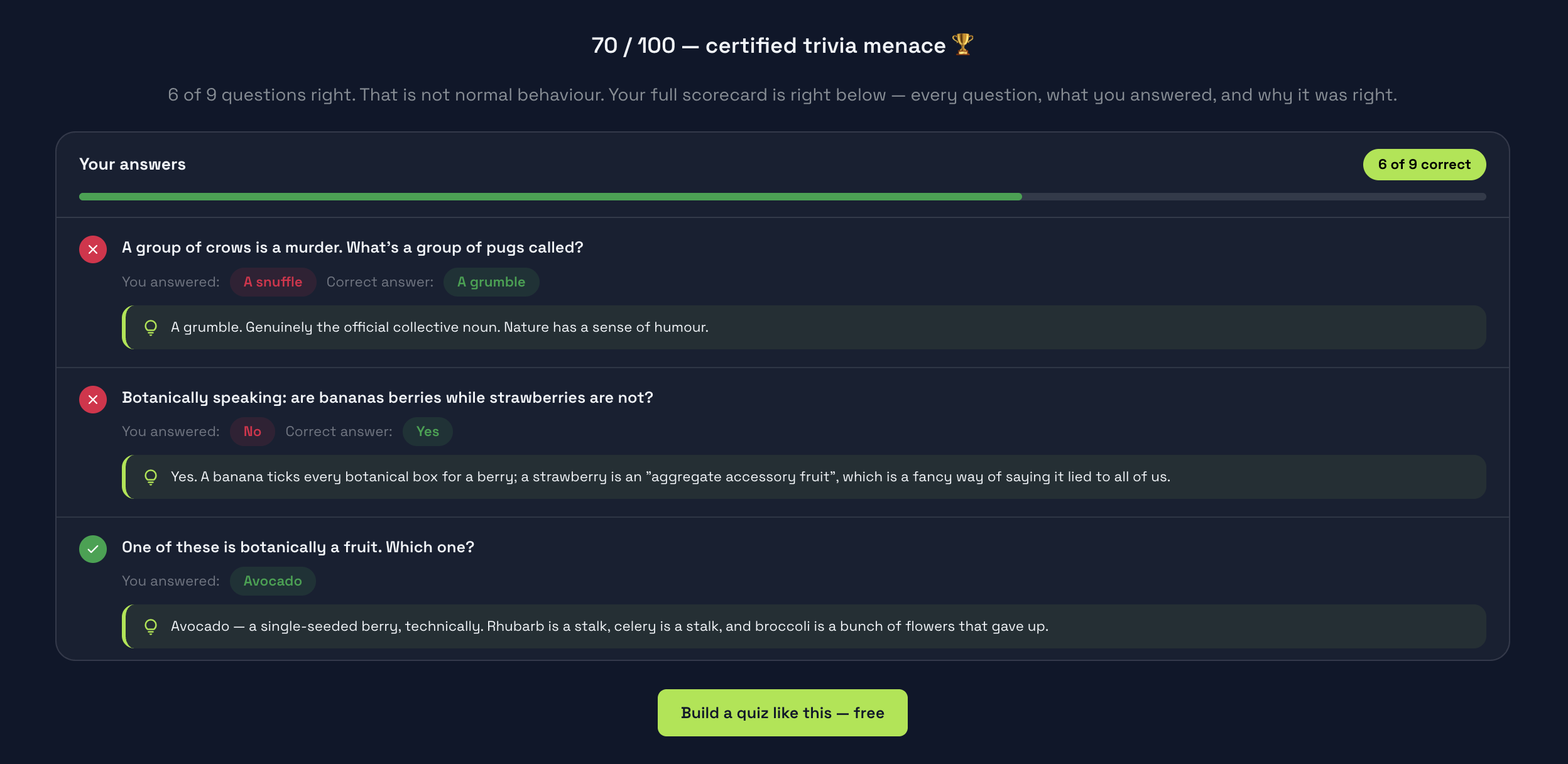
Every score range lands on its own screen — its own title, its own copy, its own button. Route a top score to "Book a call," a low one to "Try again."
No extra logic beyond the score range itself — set the thresholds once and every response finds its way to the right outcome automatically.
Give the whole quiz a limit, give single questions their own, or both. The countdown is on screen; the check is on our server.
It starts when the first question appears, not on the welcome screen, and the countdown is worked out from our server’s time. Changing the clock on the device, or the deadline in dev tools, doesn’t buy extra time.
Refresh the page or come back to the tab later and the same attempt picks up with the time it has left. When the time is up, the answers given so far are submitted automatically.
At zero the question moves on and there is no going back to it. The answer counts as it stood when it was given, so peeking at the feedback and changing it afterwards changes nothing.
A phone that put the tab to sleep can send the answers after the deadline. They’re kept either way: marked "Over time" with their score, or marked and scored 0 — you pick per quiz.
In each response you see the time taken, an "Over time" badge with how far past the limit it went, and per question whether it timed out. The time taken is also a CSV column and goes out in the webhook. One honest limit: a quiz open to anyone can be retaken in a private window — a timer limits the attempt, not the person.
Free forever for 100 responses a month — the whole builder, no card.
Start building freeAll-or-nothing points per question, or partial credit per answer on the same quiz — pick the mode per question.
Reveal right or wrong the moment they answer, the correct answer, and an explanation you write — not just a number at the end.
Grade short text, numbers and scale questions too, not only the questions with a picker.
Route to different ending screens by score ranges — or by any other answer, combined with logic.
Tag each question with a category. Every respondent gets a total and a score per category out of 100 — the scorecard format, with no formulas to write.
→Tie an ending to a range — 0–40, 40–70, 70–100 — and show a bar per category with advice for the weakest one. On the Start plan.
The same score, breakdown and advice land in the respondent’s inbox, and their reply comes straight to you. On the Start plan.
A limit on the whole quiz, on single questions, or both — checked by the server, with "Mark as late" or "Score as 0" for late answers.
Hand back every scored question on the result screen: the answer given, the right one and your explanation.
Each outcome gets its own title and copy on every plan; a call-to-action button — "Book a demo", "Get the guide" — comes with the Start plan.
Send finishers to your site with score and answers in the URL — personalize the next page instead of showing a screen. On the Start plan.
Timed tests, trivia, personality quizzes and product finders — each from a template, on the quiz maker page.
→Duplicate one, swap the questions and the branding, ship.
Engage with quizzes: all 26 templates →A 10-question exam with a 5-minute limit and 30 seconds per question, graded automatically with a pass mark.
LogicScoringA 5-question general knowledge quiz with 20 seconds per question, automatic scoring and a different result screen for each score band.
LogicScoring“Which one is right for me?” — a short quiz that lands every customer on the product they should buy.
LogicA shareable “what type are you?” quiz with weighted answers and three persona endings.
LogicScoringEither. Turn on instant feedback and every question reveals right or wrong, the correct answer and your own explanation the moment someone answers. Leave it off and nothing shows until the ending screen — your call, per form.
Yes. The default mode scores a question all-or-nothing, but you can switch any question to "points per answer" and set a score per choice — so a multi-select with two out of three right still earns partial points.
Yes. Short text, long text, number and scale questions can carry a score too — set the accepted answer and points, the same way you would on a picker question.
Yes. Route by score range in the logic builder, combine it with any other answer or a URL parameter, and give each outcome its own title, text and call-to-action button.
Yes. Tag questions with categories and each respondent gets a total and a score per category out of 100. Category scores work on Free. A result screen per score range and the result email to the respondent need the Start plan.
Yes — on the whole quiz (30 seconds to 3 hours), on single questions (5 seconds to 10 minutes), or both. The countdown shows on screen; when the quiz time runs out the answers are submitted automatically, and when a question’s time runs out the quiz moves to the next one.
They’re kept, never refused, and you choose per quiz what they’re worth: "Mark as late" keeps the score and flags the response "Over time" with how much it went over; "Score as 0" keeps and flags it but gives it no points. A question answered past its own limit scores 0 either way.
No. The server records when the attempt started and checks the time on the submit and on each timed question’s answer, so a changed device clock, an edited deadline or a reload doesn’t add time. What a timer can’t stop: a form open to anyone can be taken again in a private window — it limits the attempt, not the person.
Yes. Scoring, instant feedback, time limits, the answer review and a separate ending screen per outcome all work on Free, capped by 100 responses a month like everything else. A button on the ending, a result per score range, the result email and redirecting to your own site need the Start plan.
Free forever for 100 responses a month — the whole builder, no card.
Cookie preferences
Required for the site to work — security and your session. No tracking.